
Your Entra apps, under watch.
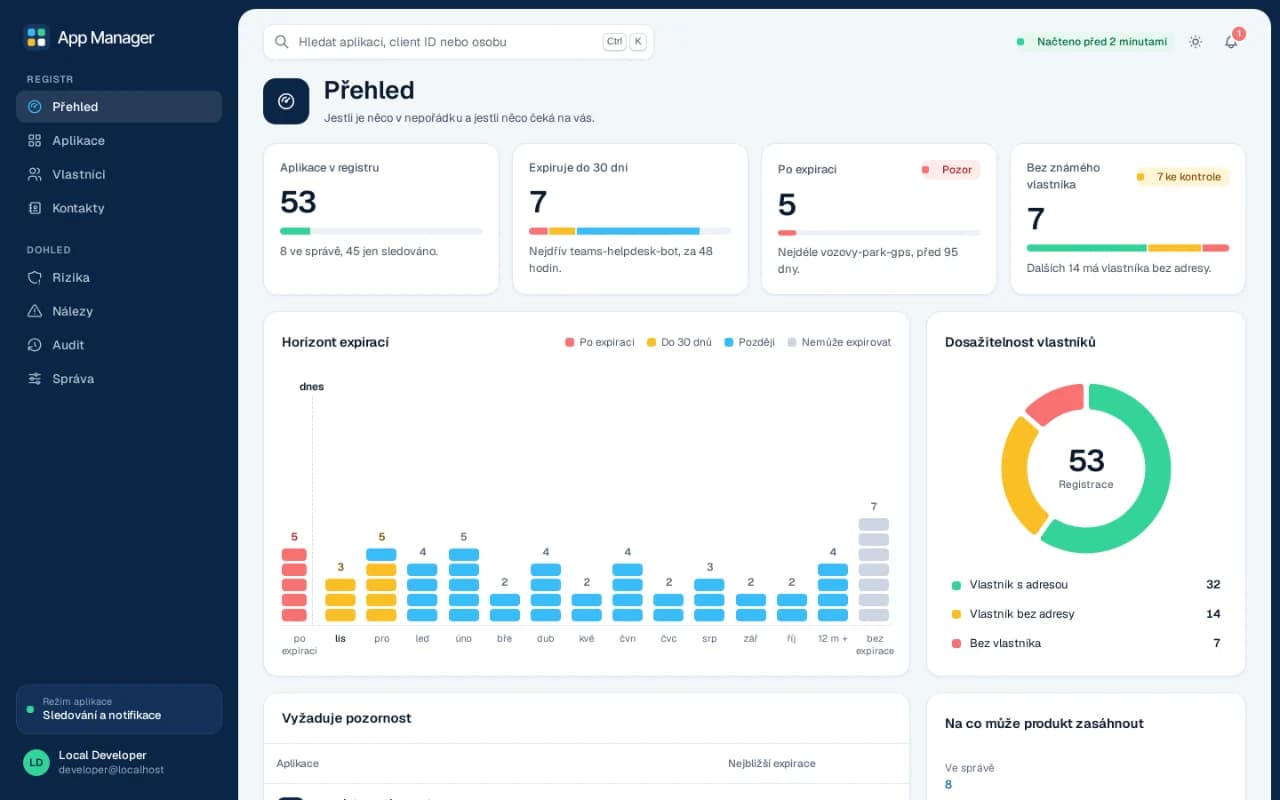
App Manager keeps a record of every app registration in your tenant, watches when their secrets and certificates expire, and warns whoever is responsible for the app in time. It runs in your Azure subscription.
- The owner knows a key is expiring before the app stops working.
- You see which registrations could take over the whole tenant.
- It writes nothing to Entra, and your data never leaves your subscription.

App Manager is built by EnterCloud, a Microsoft Solutions Partner for Azure infrastructure. We use it in production ourselves.
Microsoft Entra ID · Azure Container Apps · Azure SQL · Managed identityApp registrations in Entra keep growing. Your overview of them doesn’t.
Every integration, script or SaaS creates its own registration and its own secret. Two years later there are dozens, and nobody knows which one is for what or who owns it.

A secret expires overnight and an integration breaks by morning. Only then does anyone look for the owner.

The person who registered it left long ago. Today nobody owns it.

Some app could take over the whole tenant. It has a permission nobody knows about.

Identity governance tools are expensive. And take months to roll out.
Today you choose between a spreadsheet nobody updates and an expensive identity governance programme. App Manager is a third way.
Extract from a demo tenant, sorted by next expiry.
From installation to a full overview without touching your tenant
You install it
install.ps1One script into your Azure subscription. Each admin (Azure, Entra, Exchange, database) runs only their part.
App Manager reads the tenant
Application.Read.AllEvery registration, its secrets and certificates, owners and permissions. It writes nothing to Entra.
It keeps watch
continuouslyUpcoming expiries, registrations without an owner, changes made outside the tool and permissions that allow a tenant takeover.
It alerts the right people
email · cs / en / deThe owner gets an email in their language. Users see only their apps, auditors the whole tenant.
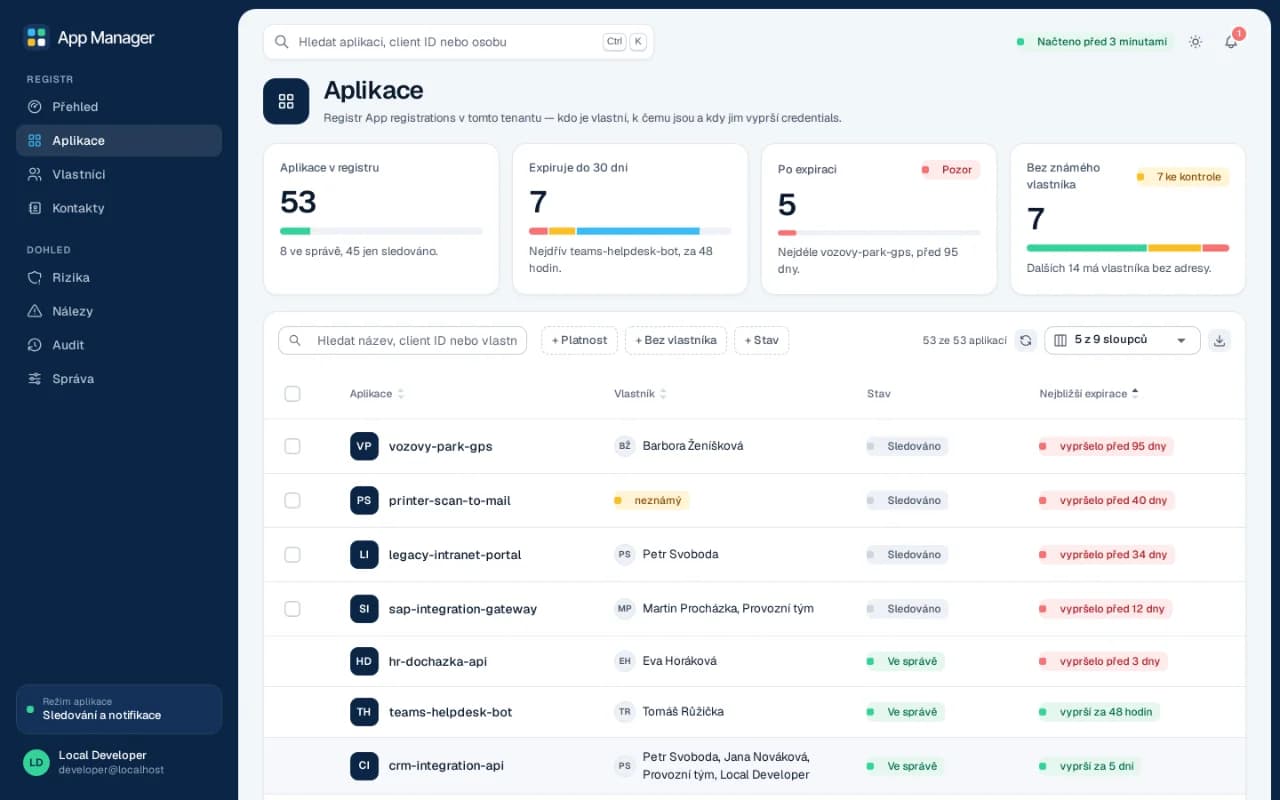
Everything you get
Is App Manager right for you?
Yes, if
- You use Microsoft Entra ID and have an Azure subscription.
- Your tenant has dozens of app registrations, and more keep coming.
- You don’t have an identity governance tool, or it’s too expensive for you.
Probably not, if
- You have a few registrations and one person looks after them.
- You can’t run a container in your own Azure. App Manager isn’t SaaS.
- You want a tool that creates and changes registrations. App Manager records and watches them.
Frequently asked questions
- Where will our data live?
- In your Azure subscription: one container, your database, your network. Your company’s identity map goes nowhere.
- Does App Manager change anything in Entra?
- Not by default. It doesn’t even ask for write permission to Entra, so even if it were compromised it couldn’t change your tenant.
- Is it secure?
- Azure managed identities hold access to Entra and the database. There is no stored password in the deployment that could be stolen.
- Do app owners need access to the Entra portal?
- No. They get alerts by email and see only their own apps in App Manager.
- How is it updated?
- A new version announces itself in the app and you install it in one step.
- What if we don’t have our own Azure?
- We’ll help you design and deploy it.
Find out a key is expiring before your users do.
A record of every registration, expiry monitoring and a risk overview in your own Azure.
- Pick a time. Just your name and email; booking takes a minute.
- We plan the installation. We go through who on your side runs which part.
- You see your tenant. After the first read you know what expires and who owns it.